
King, NC · family-owned since 2006
Local technology help, without the big-box runaround
Bringing Your Tech to Life has been helping families and small businesses throughout the Piedmont Triad since 2006.
We’re a family-owned, home-based technology shop in King, North Carolina, built around a pretty simple idea: diagnose the problem first, explain it in plain English, give you honest options, and let you decide what makes sense for your equipment and your wallet.
Sometimes that means repairing the computer. Sometimes it means replacing it. Sometimes another specialist is the better choice. Whatever the answer is, we’d rather point you in the right direction than sell you something you don’t need.
Local. Independent. Customer-focused since 2006.
From Bringing Your PC to Life to Bringing Your Tech to Life
By early 2006, Paul had turned that interest in technology into a small computer repair business called Bringing Your PC to Life.
The idea behind the business was straightforward.
People should be able to get their computers repaired without feeling like they need a computer science degree just to understand what went wrong.
They should know what the repair is expected to cost before work begins.
And sometimes the best advice a repair shop can give someone is: This machine isn’t worth repairing.
That philosophy was important then. It still is today.
Technology changed — so the name did too
The original name made sense in 2006.
But customers quickly started bringing in much more than traditional Windows desktop PCs. As technology became more connected, the work expanded beyond individual computers to include networks, cloud services, communications, entertainment systems, and eventually entire homes and businesses full of interconnected technology.
- Desktop PCs, Workstations & Custom-Built Computers
- Windows Laptops, Business Laptops & Ultrabooks
- Apple Macs, MacBooks & iMacs
- Smartphones, Tablets & E-Readers
- Home & Small-Business Wi-Fi Networks
- Wired Networking, Switching & IP Connectivity
- Printers, Scanners & Wireless Peripherals
- Game Consoles, Handheld Gaming Systems & Gaming PCs
- Streaming Devices & Home Entertainment Technology
- VoIP Phones & Internet-Based Communications
- Cloud Services, Microsoft 365 & Backup Solutions
- Data Storage, NAS Devices & File Sharing
- Video, Display & Signal-Conversion Equipment
- Smart Devices & Other Network-Connected Technology
By 2015, Bringing Your PC to Life had become a little too literal.
People saw the word “PC” and sometimes assumed we only worked on Windows computers.
That was never really the case.
So the business became Bringing Your Tech to Life.
The new name better described what had already happened naturally.
Instead of simply being the place someone called when a desktop computer stopped working, the shop had become a place local families and small businesses could turn when technology stopped cooperating.
Today that might mean repairing a laptop that won’t boot.
Tomorrow it could mean recovering family photographs from a failed drive, figuring out why a home’s Wi-Fi keeps dropping, helping a business move into Microsoft 365, cleaning up a computer after a scammer gained remote access, repairing a game system, or helping someone decide whether an aging computer should be repaired or replaced.
The technology changes.
The basic job really doesn’t:
Figure out the problem. Explain the options. Help the customer make a sensible decision.
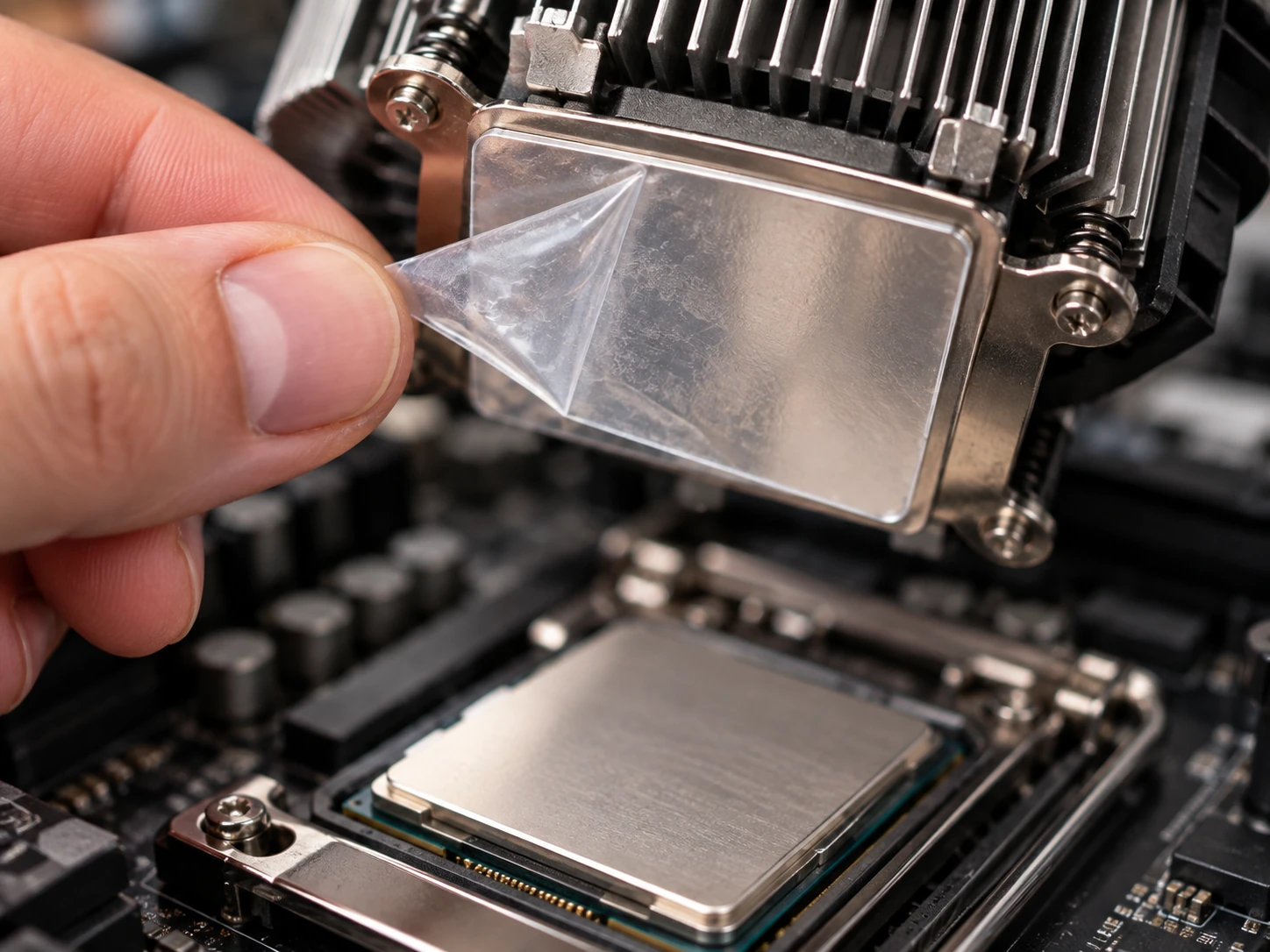 | Diagnose… Don’t just replace parts.One repair from years ago still represents how we believe computer service should work. A customer brought us a desktop computer that would run for approximately 15 to 20 minutes before shutting itself off. It was also painfully slow. Before it ever reached our shop, the computer had already made a couple of stops. First, the customer took it to a friend who was “good with computers.” When he wasn’t able to solve the problem, the machine was taken to another computer repair shop. That shop replaced the power supply. Then the memory. Then Windows was reinstalled. The customer had spent roughly $150, and the computer still had exactly the same problem. I wish they had come to us first. Not because every repair is simple, and not because we get every diagnosis instantly, but because replacing parts without first understanding the failure can become expensive very quickly. When we began our diagnostics, one reading immediately stood out: The processor was running far too hot. The CPU cooler was removed. Underneath it was the answer. The thin protective plastic film that should have been removed from the cooler during the original assembly was still attached. That plastic prevented proper heat transfer between the processor and its cooler. There was nothing wrong with the power supply. There was nothing wrong with the memory. Windows wasn’t the problem. The protective film was removed, the cooler was properly reseated with fresh thermal compound, and the computer operated normally. The bill was one hour of labor. That’s the kind of repair we enjoy. Not because it was complicated. Because it wasn’t. The right diagnosis saved the customer from buying even more things they didn’t need. That same principle applies today. Sometimes a failed computer needs an expensive repair. Sometimes it needs an inexpensive part. Sometimes Windows needs to be repaired. Sometimes the real problem is the network. Sometimes the most responsible recommendation is to stop spending money on the machine and replace it. Our job isn’t to make every repair as large as possible. Our job is to determine what actually makes sense. |
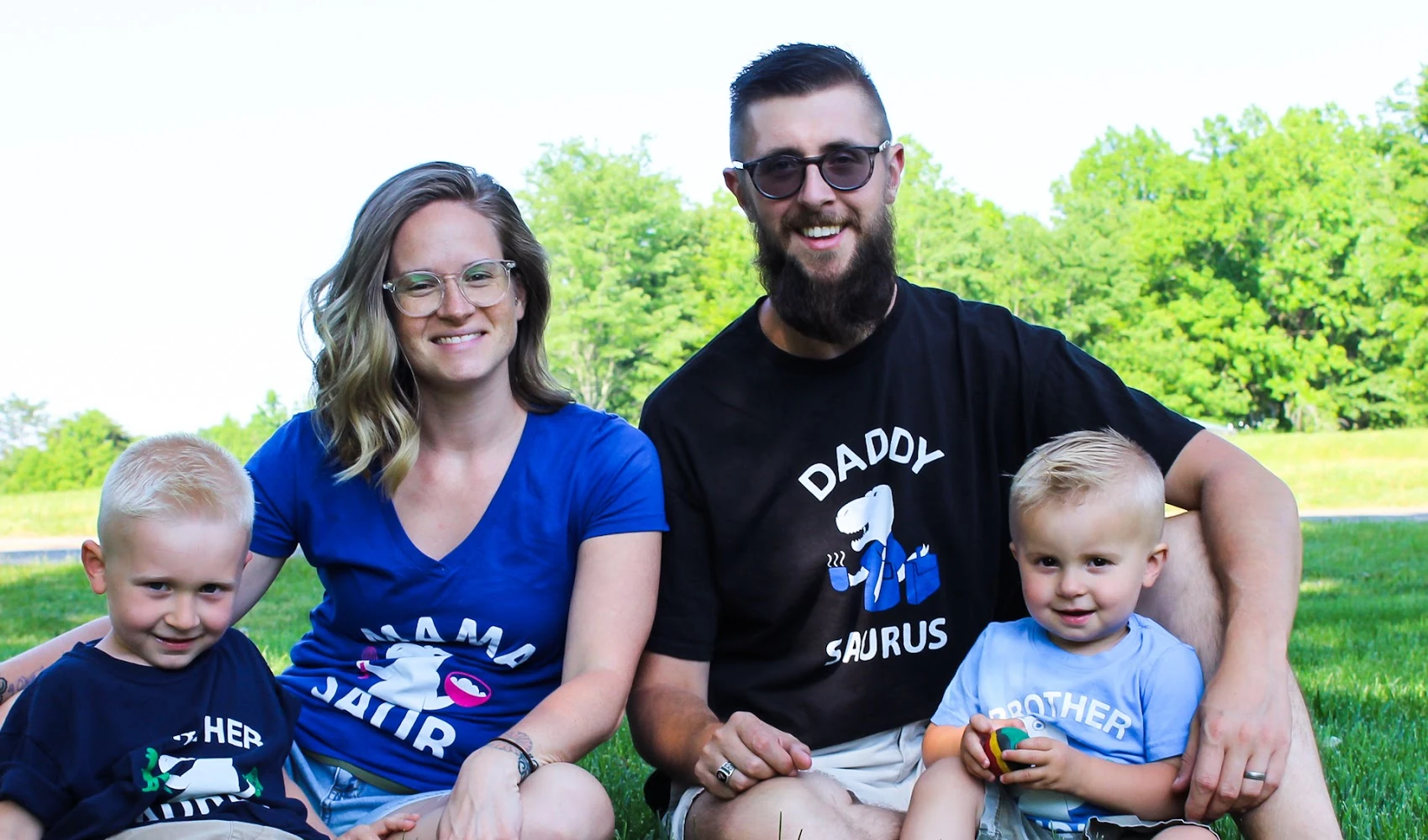
Home-based by choice. Local by nature.Bringing Your Tech to Life operates from a home-based office in the countryside of King, North Carolina. That is intentional. There is no retail showroom filled with accessories you didn’t come in to buy. There isn’t a sales counter where the goal is to move you quickly to the next transaction. And there isn’t always someone sitting around waiting for a walk-in customer. Our work may take us to a customer’s house in Mount Airy, a business in Winston-Salem, a network job elsewhere in Stokes County, or simply into the back of the shop where a computer may be undergoing hours of testing. That’s why visits are by appointment and why service begins with our ticket system. A business built around a family tooThe home-based model also allows Paul to remain involved in the everyday lives of his family. Paul and his wife, Jackie, have been together since 2011 and married since 2015. They have two sons, Russell and Jack. When you operate a business in the same community where you raise your family, customers don’t feel quite as anonymous. The person whose laptop is sitting on the workbench may be someone you see again at the grocery store. At a school event. At church. At a Scout function. Or simply somewhere around town. That matters to us. A small local business has to live with its reputation. We think that’s a pretty good reason to treat people fairly. |  |
How we work
Good service should be understandable before the repair starts — not just after the invoice arrives.
Start with a ticket
As the business grew, phone calls alone stopped being a practical way to manage service.
A voicemail saying “My computer isn’t working. Call me.” doesn’t provide enough information to diagnose anything, prepare an estimate, or determine whether the job should be handled remotely, onsite, or at the shop.
That’s why every new service request begins with a ticket.
The ticket gives us enough information to understand what equipment you have, what it is doing, when the problem started, whether anything changed, and whether the best approach is remote support, onsite service, or bringing the device into the shop.
From there, we can determine the most sensible path.
The ticket also creates something important for both of us: a written record of the conversation.
You know what was discussed. We know what was approved. There is less opportunity for misunderstanding.
Once we understand the job, we provide the estimate or discuss the available options.
No repair work begins until you approve it.
Why shop repairs are usually flat rate
A lot of computer repair involves waiting.
A malware scan may run for an hour. A hard drive test may take several hours. Windows may need to download and install updates. Data may need to copy from one drive to another. A computer may need to remain running under load so we can determine whether a problem returns.
We don’t believe you should be watching an hourly meter climb simply because your computer is sitting on our bench processing something.
That’s why most normal drop-off repairs are handled using flat-rate pricing.
Onsite service is different. When we’re at your home or business, that time is dedicated to you, so onsite work is billed hourly along with the applicable travel charge.
Either way, the goal is the same: choose the service method that solves the problem without unnecessarily increasing the customer’s bill.
Your equipment. Your needs. Your budget.
When replacement parts are needed, we believe the customer should have a real choice.
There may be several ways to complete the same repair.
One part may be OEM. Another may be a quality aftermarket option. One may carry a longer warranty. Another may cost less and still make perfect sense for an older device that only needs to remain useful for another year or two.
Our job is to explain those differences clearly.
We can tell you what we recommend. Why we recommend it. What the warranty looks like. How the options compare. What we expect from each part. And what each option costs.
But ultimately: the parts decision belongs to you.
Your needs matter. Your expectations for the device matter. And your wallet matters.
A business computer that needs to remain dependable for several more years may justify a different choice than an older family laptop that only needs to get through another school year.
There’s no reason to pretend those situations are the same.
Technology repair is full of cases where spending more money does not necessarily create a meaningfully better result.
We’d rather give you the information and let you decide what makes sense.
 | Sometimes the best service we can provide is a referralNo technology company should pretend to be the best choice for every possible problem. We perform a broad range of computer, device, networking, software, security, and data-related services. But there are specialty repairs and situations that are better handled by someone with different equipment, facilities, or expertise. When that happens, we try to make the next step easier. For some services, we have trusted repair partners that we can work with on your behalf. That allows us to remain involved, communicate the problem, and help coordinate the repair when that arrangement makes sense. In other situations, particularly when there is a reputable local company we know and trust that specializes in exactly what you need, we may simply give you their information and recommend that you work with them directly. There is no value in becoming an unnecessary middleman. If someone else is the better fit, we’ll tell you. We’d much rather have a customer remember that we pointed them in the right direction than sell them a service we weren’t the right company to perform. |
If I can fix it, can I have it?Bringing Your Tech to Life did not begin with a storefront, a franchise agreement, or a plan to become the biggest computer company in the Piedmont Triad. It started with curiosity. Owner and founder Paul Isaacson got his first computer by repairing an old desktop that had belonged to his father’s business. The machine had failed because of a bad power supply. At the time, a local computer shop was unable to get it running again, so Paul’s father purchased a replacement computer for the business. Fortunately, the important business records had been backed up and were transferred to the new machine. The old computer was set aside. For a while, it simply collected dust. A few years later, Paul asked a simple question: If I can fix it, can I have it? The answer was yes. That old machine became one of the first computers Paul repaired for himself — an i386 running Windows 3.1 — and it helped turn a general interest in electronics and technology into something much more hands-on. | 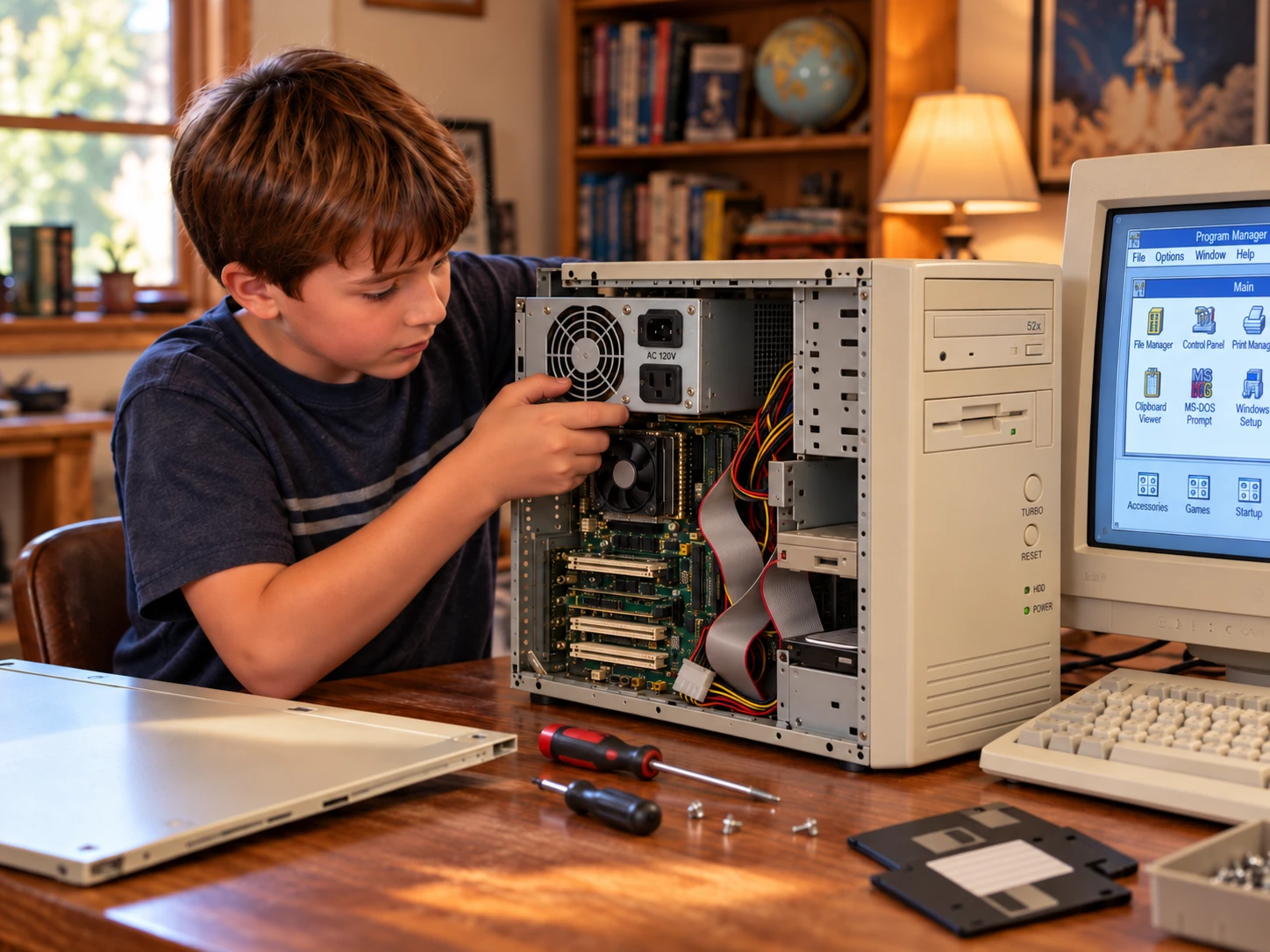 |
Computers were different then.
There was no YouTube tutorial for every problem. There was no smartphone sitting beside you with the answer. There certainly wasn’t a convenient app for every device or a one-click recovery tool that magically fixed everything.
If you wanted to understand why something failed, you had to read, experiment, ask questions, take things apart, make mistakes, and learn from other people trying to solve the same problems.
That process became addictive.
Learning through the ugly side of the early internet
By middle school and high school, Paul was dealing with an era when spyware, browser toolbars, tracking software, adware, and other potentially unwanted programs could bring an otherwise usable computer almost to a standstill.
It was common to see computers loaded with unwanted search bars, pop-ups, browser hijackers, tracking software, and programs the owner never intentionally installed.
Tools such as Spybot Search & Destroy and Lavasoft Ad-Aware became common weapons against the problem, but some infections were far more stubborn than anything those programs could remove automatically.
Online forums became an important part of the learning process.
Technicians, hobbyists, programmers, and curious computer users shared logs, removal techniques, scripts, and ideas for dealing with infections that didn’t have an easy fix.
Paul began working with others in those communities to test and write custom scripts that could remove particularly persistent spyware, adware, and other unwanted software.
That experience taught him something early that still applies today:
Technology changes constantly, and no one learns it alone.
Good troubleshooting comes from curiosity, research, testing, and being willing to learn from someone who has seen something you haven’t.
That curiosity eventually grew into the business that became Bringing Your Tech to Life.
Experience from both sides of the counter
While attending college for Computer Information Technologies, Paul also worked as the Lead Resident Tech at the former Staples location on Hanes Mill Road in Winston-Salem.
At the time, Winston-Salem was one of the markets testing Staples’ Mobile Onsite EasyTech program.
Working inside a national company provided useful experience.
Large organizations have procedures, systems, training, and resources that small businesses can learn from.
But small businesses can also do some things differently.
One lesson Paul carried forward was that good technical service isn’t finished simply because the computer works when the technician leaves.
Sometimes the best solution is the simple one
A small example came from wireless router installations.
After setting up a customer’s wireless network, technicians were expected to leave behind paperwork containing the network information. Paul and the local team also began placing a small label with the wireless network name and password on the underside of the router.
It wasn’t particularly high-tech. It was just practical. Paperwork gets lost. Years later, someone buys a new television, computer, printer, or tablet and suddenly needs the Wi-Fi password again.
Back then, routers weren’t commonly managed through convenient smartphone apps. A missing password could mean another service call. Another appointment. Another bill. A small label underneath the router could prevent the entire problem.
A repair shouldn’t just solve today’s problem. Whenever possible, it should make tomorrow’s problem easier too.
Corporate IT — and why Paul came back
Paul later worked with Hanesbrands Inc. in desktop support and as an IT analyst, alongside networking, programming, and cybersecurity teams.
The experience gave him exposure to a much larger IT environment than a neighborhood repair shop normally sees. He worked with standardized system images, hardware deployments, memory upgrades, software troubleshooting, workstation support, and the processes required to keep a large organization running consistently.
It was valuable experience.
It was also repetitive.
A lot of the work followed the same patterns: deploy a system image, upgrade RAM, troubleshoot familiar software issues, replace or configure equipment, and move on to the next workstation.
For a company that size, that consistency is a good thing.
For Paul, the repetition eventually became less satisfying.
He missed the variety of running his own shop — the oddball problems, the machines nobody else could figure out, the customer who walks in with a story that starts with, “You’re not going to believe what this thing is doing,” and the satisfaction of working through a problem that doesn’t have an obvious answer.
He also preferred working directly with the person who actually owned the equipment.
That meant being able to explain what he found, discuss the options, agree on the cost, perform the work, and remain accountable for the result from beginning to end.
Corporate IT helped sharpen his technical skills and showed him how larger organizations approach technology.
It also made something else clear:
He would rather solve a different problem every day for his own customers than solve the same problem a hundred times inside a corporate environment.
So he returned his focus to the business he had already started.
Technology never stops changingOne of the challenges of working in technology for this long is that expertise has an expiration date. Knowing everything about Windows XP doesn’t make someone an expert on Windows 11. A repair technique that made perfect sense for a 2010 MacBook may be completely irrelevant to a modern Apple Silicon machine. Wireless networking has changed. Cybersecurity has changed. Cloud storage has changed. Solid-state drives, encryption, account security, smartphones, gaming hardware, and even the way scammers target people have changed dramatically since 2006. So the learning never really stops. Paul earned his CompTIA A+ certification in September 2009 and has completed training and coursework involving companies including Microsoft, Apple, Dell, HP, and Lenovo. But formal training is only part of it. He also participates in and helps moderate online communities used by computer repair shop owners and technicians. Other shops occasionally reach out when they encounter something unusual, just as professionals throughout the industry exchange information when a difficult problem appears. That community matters. No technician has personally encountered every failure. Knowing how to research a problem, consult trusted peers, test a theory, and verify a repair is often more valuable than pretending to already know every answer. It’s the same lesson Paul learned years ago while working with others on those early spyware-removal forums: Technology changes constantly, and no one learns it alone. If we don’t know something, we’d rather investigate it than bluff our way through it with your equipment. |  |
Serving the Piedmont Triad since 2006
Over the years, Bringing Your Tech to Life has worked with more than 1,300 individual customers and more than 245 businesses throughout the Piedmont Triad.
Most of our work remains close to home.
We primarily serve:
Remote support is also available for many established customers and for situations where distance doesn’t really matter.
Some customers come to us once.
Others have been calling for years.
We’ve watched customers replace their first family desktop with laptops, then tablets, then smartphones.
We’ve helped businesses replace generations of office computers.
We’ve recovered photographs of children who are now adults.
We’ve helped parents set up computers for kids and, years later, helped those same kids with computers of their own.
That’s one of the things we enjoy most about being a long-running local business.
The technology becomes obsolete. The relationships don’t have to.
What you can expect from us
You don’t need to understand computers before contacting Bringing Your Tech to Life.
That’s our job.
We do ask questions because the answers help us diagnose the problem.
We may tell you that something needs additional testing before we can give you a definite answer.
We may recommend a repair. We may recommend replacement instead. We may recommend a trusted partner. And occasionally we may tell you that nothing needs to be purchased at all.
What you should expect is an explanation you can understand. Pricing discussed before work begins. Documentation of what was done. Meaningful choices when options are available. And someone willing to stand behind the work afterward.
Our completed labor is backed by a minimum 90-day labor warranty.
When we provide replacement parts, we help manage the applicable supplier or manufacturer warranty rather than simply handing the problem back to the customer.
We’re also not interested in creating an artificial sense of urgency just to make a sale.
Take the information. Ask questions. Consider your options. Then decide.
It’s your equipment. It’s your information. And it’s your money.
Our responsibility is to give you enough honest information to make a good decision with all three.
Still local. Still independent. Still here.
Bringing Your Tech to Life has changed quite a bit since 2006.
The computers are faster. The phones are smarter. The threats are more sophisticated. The tools on the workbench have changed. The business name even changed.
But the basic idea behind the company really hasn’t.
Do good work. Be honest about what you find. Don’t sell someone something they don’t need. Explain the repair in language people can understand. Give the customer meaningful choices. Charge fairly. Know when another specialist is the better fit. Stand behind the work.
And remember that the computer sitting on the bench belongs to a real person who probably just wants their technology to work again.
That’s what Bringing Your Tech to Life means to us.
If you need help, the first step is simple:
Tell us what’s going on.
Submit a ticket with some information about your device and the problem you’re experiencing.
We’ll review it, discuss the options, and help determine the most sensible next step.
We’ll take it from there.
Ready to start?
Submit a ticket and tell us what’s going on. We’ll take it from there.